




If you regularly manage Facebook Fanpages, publish content from websites or applications, or need to post content across multiple pages simultaneously, the Facebook post to page API is the solution to automate the entire workflow. Through the Facebook Graph API, businesses and developers can connect their systems with Fanpages to publish posts, images, and videos, schedule publications, and manage content without manual operations on Facebook.
This tool is widely utilized in CMS systems, social media management platforms, and automated Facebook Marketing solutions. However, for the API to operate stably, you must set up a Meta app, retrieve an Access Token with correct permissions, and comply with Facebook policies. In this article, Adsupport will guide you on how to use the Facebook Graph API to publish posts on Fanpages safely, effectively, and in compliance with Meta 2026 standards.
What is the Meta for Developers Facebook page API?
The Facebook Page API is an Application Programming Interface that allows software or applications to access and interact with a Facebook Page when granted valid permissions. Simply put, the API acts as a bridge between your system and a Facebook Fanpage. Instead of logging into Facebook to create posts, your system can send requests to Facebook to:
- Publish posts on a Fanpage.
- Post photos or videos.
- Retrieve post lists.
- Read comments and reply to comments.
- Manage Page information.
- Schedule or update content via automated workflows.
All of these actions are executed through the Facebook Graph API within the Meta for Developers ecosystem.
What is Meta for Developers?
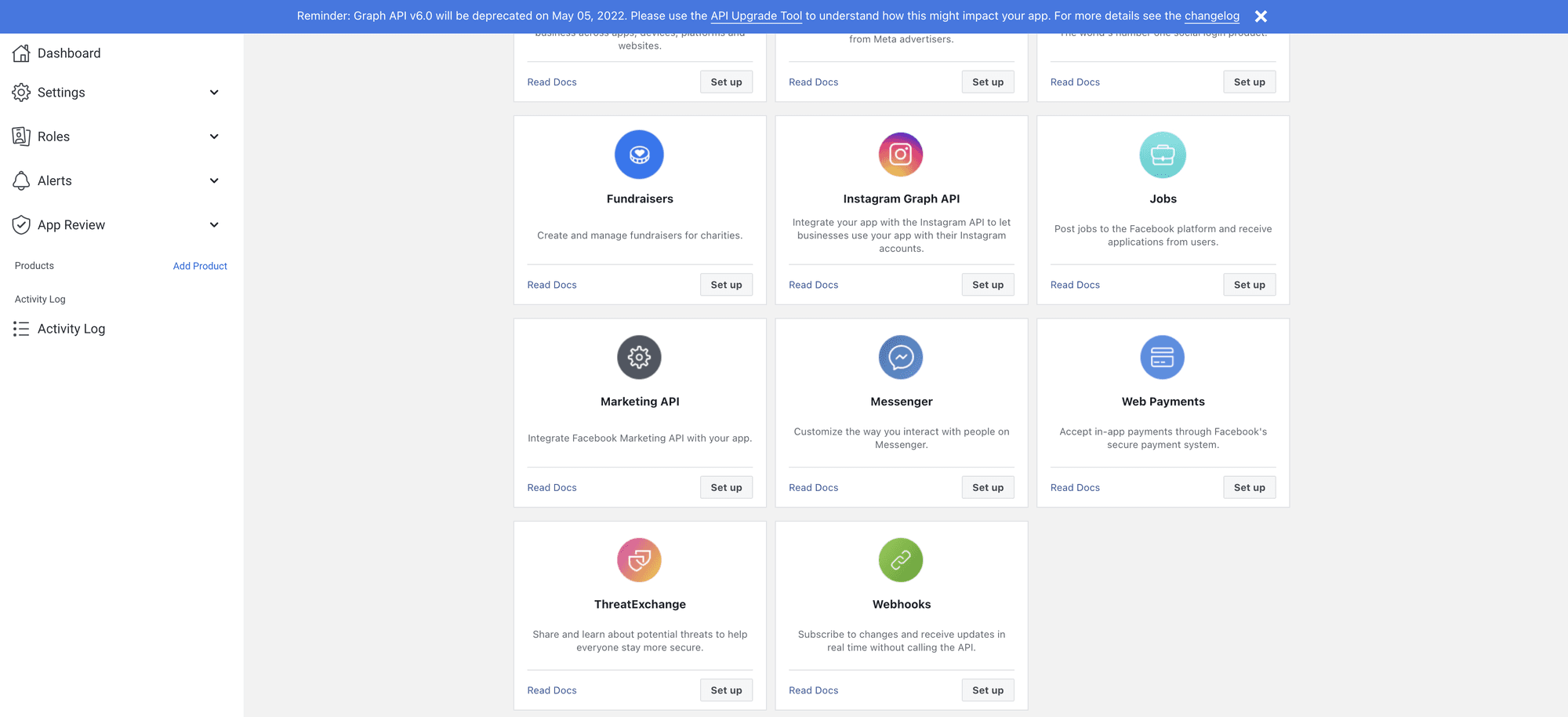
Meta for Developers is the platform designed for developers, businesses, and technology entities seeking to build applications or integrate with Meta products such as Facebook, Instagram, WhatsApp, and Messenger. Through Meta for Developers, you can create applications (Apps), request API permissions, manage Access Tokens, and connect your system with Meta services. This is where businesses register applications to use the Facebook Graph API officially while remaining compliant with Meta policies.
How does the Facebook Graph API work?
The Facebook Graph API operates on a request and response model. Your system sends a request to Facebook accompanied by an Access Token and the necessary information. After validating access permissions, Facebook returns data or executes the corresponding action. For example, when sending a post publishing request, the Graph API receives the post content, verifies Fanpage permissions, and publishes the post if all conditions are valid.
What can the Facebook Page API do?
The Facebook Page API supports multiple functions serving businesses and developers:
Automated posting to Fanpages
This is the most commonly used feature. Businesses can automatically publish posts from websites, CMS, or content management systems to Fanpages without manual intervention.
Uploading photos and videos to Facebook
The API allows uploading photos and videos to Fanpages while attaching accompanying captions or descriptions. This feature is ideal for content management systems or e-commerce platforms seeking automatic product updates.
Managing comments and interactions
Beyond posting, the API also supports reading comments, replying to comments, or managing interactions on a Fanpage if the account holds appropriate permissions.
Retrieving post data and Fanpage metrics
Businesses can extract post lists, post details, or management data permitted by Meta via the Graph API.
Why should businesses use the Facebook Page API?
Utilizing the API offers far more benefits than manual posting, especially for businesses managing multiple Fanpages or handling large content operations. Key advantages include:
- Saving posting time.
- Synchronizing content across multiple platforms.
- Automating Marketing workflows.
- Reducing repetitive operations.
- Managing multiple Fanpages within a single system.
This is a suitable solution for enterprises, agencies, and SaaS social management platforms.
Step-by-step guide to using the Facebook post to page API
The Facebook post to page API is a solution that helps businesses, developers, and entities managing multiple Fanpages automatically publish content without manual posting through the Facebook interface. Through the Facebook Graph API, you can connect websites, applications, or Content Management Systems (CMS) with Fanpages to publish posts, images, and videos, or schedule publication via automated workflows.
This tool is used by many businesses to synchronize content across platforms, manage multiple Fanpages simultaneously, and construct professional Facebook Marketing workflows. However, for the API to function correctly, you must set up a Meta app, assign appropriate permissions, and use a valid Access Token. Below is a step-by-step guide to help you use the Facebook Graph API to post content on Fanpages.
Step 1: Prepare a Meta Business account and Fanpage
Before using the API, you must possess a Facebook Fanpage managed by you or your business. Additionally, your Facebook account must hold administrative or content management permissions on that Fanpage. If the Fanpage belongs to a Meta Business Manager, ensure your account has been granted appropriate access rights. Preparing proper permissions is the primary prerequisite for the Graph API to publish content.
Step 2: Create an app in Meta for Developers
To use the Facebook Graph API, you need to create an application in Meta for Developers. Upon creating the app, Meta will provide information such as:
- App ID.
- App Secret.
- Graph API product configurations.
- App access permissions.
This app serves as the bridge connecting your system to the Facebook Fanpage.
Step 3: Add Facebook Login and Graph API to the app
After creating the app, configure the necessary products so the application can authenticate Facebook accounts and access the Graph API. In this step, you will set up access permissions and prepare the environment to retrieve Access Tokens for posting. Proper configuration ensures the app sends valid requests to Facebook.
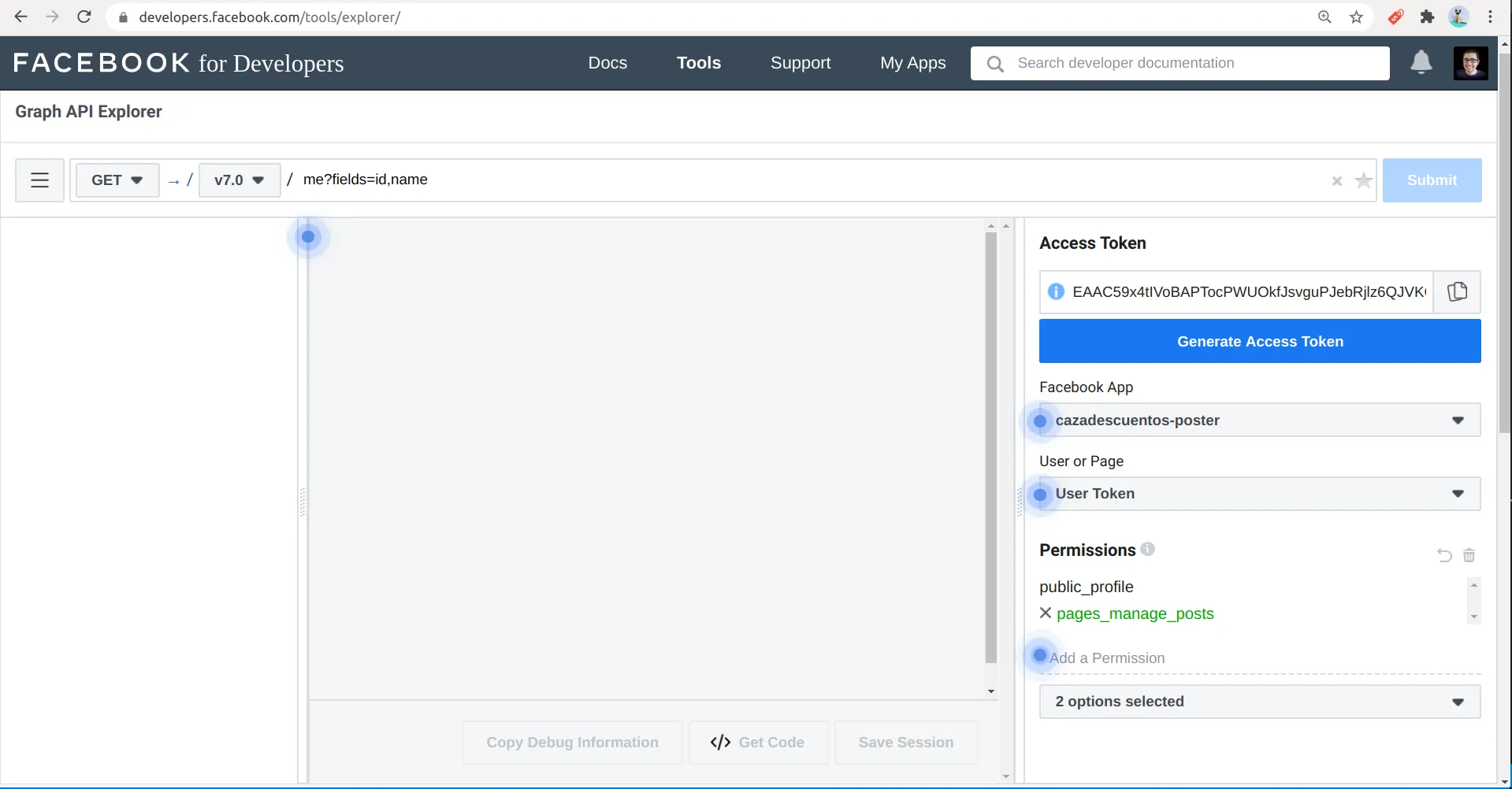
Step 4: Retrieve Access Tokens for the Facebook Fanpage
An Access Token is an authentication key that permits the API to post on a Fanpage. Typically, there are:
- User Access Tokens.
- Page Access Tokens.
To post on a Fanpage, you need a Page Access Token with content management and post publishing permissions. Meta requires a valid, active Access Token with all necessary permissions prior to calling the API.
Step 5: Verify access token permissions
Before deployment, confirm that the Access Token has been granted correct permissions for the Fanpage. Common permissions serving posting include page management permissions and content publishing permissions on the Fanpage according to Meta’s current policies. Missing permissions will cause the API to return access denied errors or fail to publish posts.
Step 6: Identify the Fanpage Page ID for posting
Every Facebook Fanpage possesses a unique Page ID. The Graph API uses the Page ID to identify where the post will be published. If your business manages multiple Fanpages, ensure you use the correct Page ID corresponding to each page. Mismatched Page IDs can cause content to be published to the wrong Fanpage.
Step 7: Send a posting request using the Facebook Graph API
Once you have the Page ID and Access Token, you can send a request to the Graph API to publish the post. A posting request typically contains:
- Post content (Message).
- Access Token.
- Page ID.
If the request is valid, Facebook will return the ID of the newly created post on the Fanpage.
Step 8: Post Images via API
In addition to text posts, the Graph API supports posting images to Fanpages. You can upload image files from your system or use image URLs if suitable for your implementation. Upon successful image upload, the API creates the post with the accompanying description on the Fanpage.
Step 9: Post videos to a Fanpage via Facebook API
Videos follow a different processing workflow than standard posts because Facebook requires time to upload and process the files. Once the video uploads successfully, you can add titles, descriptions, and relevant details before publishing. This method is commonly applied in content management systems or video platforms.
Step 10: Schedule automated posts via API
The Graph API supports scheduled posting at predefined times if the Fanpage meets the conditions and the API feature is correctly implemented. Scheduling allows businesses to:
- Post according to content plans.
- Synchronize content from CMS.
- Manage multiple Fanpages simultaneously.
- Save operational time.
This is a valuable feature in Facebook Content Marketing strategies.
Step 11: Verify post status after publishing
After the API returns a success response, verify the post on the Fanpage to ensure the content displays correctly. Confirm:
- Complete text content.
- Proper image or video rendering.
- No formatting errors.
- Publication timing matches the schedule.
Verification helps detect errors before campaigns are deployed at scale.
Step 12: Track and manage posts via Graph API
The Graph API not only supports posting but also enables access to post details that you have management permissions over. You can manage post lists, track statuses, or integrate with internal content management systems to build automated workflows.
The step-by-step guide to using the Facebook post to page API enables businesses and developers to build automated content publishing workflows using the Facebook Graph API. From creating Meta apps, obtaining Access Tokens, identifying Page IDs, and publishing text, images, and videos, to scheduling publications and managing multiple Fanpages, every step contributes to building a professional, time-saving, and scalable Facebook Marketing system in 2026.
Contact Info
We provide services facebook rent nationwide, and with a team of experienced and qualified staff who both support advertising and can directly perform Facebook advertising if you need. Contact us via phone number.
Frequently Asked Questions (FAQ)
The Facebook Graph API can support posting text, images, videos, and certain other content types to Fanpages, provided the account and app are granted correct permissions according to Meta policies. API request procedures and access permissions may vary depending on the content type.
Yes. In most cases, businesses should manage Fanpages through Meta Business Manager or Meta Business Suite to grant permissions to apps, retrieve Access Tokens, and manage Facebook assets more securely. This also helps control access rights when multiple individuals or systems manage the Fanpage.


