




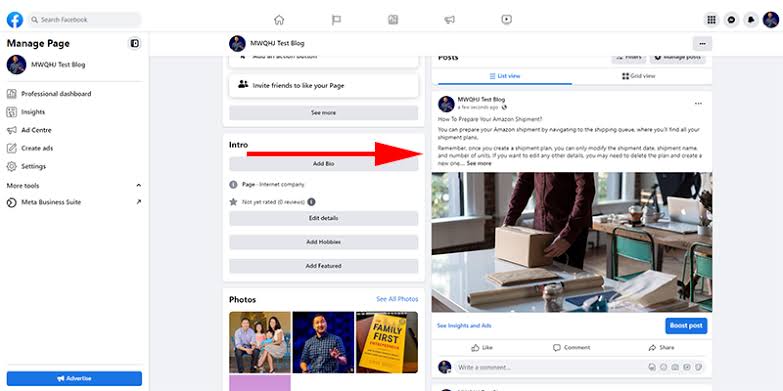
Writing a high-quality blog post is only the first step; what matters even more is delivering the article to the right target audience. Facebook is one channel that helps websites reach a large user base, increase organic traffic, and expand brand awareness through Fanpages, Groups, Stories, Reels, and Meta Business Suite. However, simply copying a link and posting it on Facebook may not generate as many clicks as desired. In this article, you will discover how to post a blog on Facebook properly—from sharing visually appealing links with Open Graph and writing engaging captions, to scheduling posts and leveraging optimization tips to boost website traffic and engagement according to Meta 2026 algorithms. Join Adsupport as we explore this!
What is Facebook Open Graph?
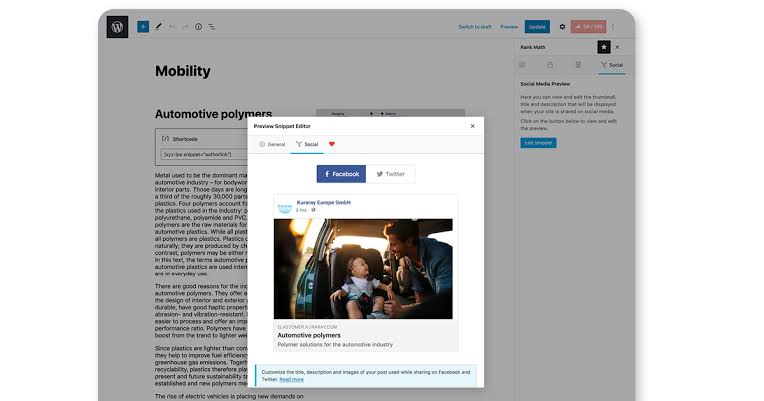
When you share a blog post, website article, or product page on Facebook, the platform automatically displays a preview card featuring a title, description, and thumbnail image. This information is not retrieved randomly; rather, Facebook reads it via Open Graph (OG)—a set of metadata tags that enables websites to communicate with Facebook and other platforms within the Meta ecosystem.
For businesses and SEO practitioners, Facebook Open Graph is a critical factor in presenting blog posts professionally, driving more clicks, and increasing traffic from Facebook to the website. When Open Graph is configured correctly, every link share will display the exact intended image, title, and description, rather than showing incorrect or missing information.
How does Facebook Open Graph work?
Open Graph is a protocol developed by Facebook to help websites provide standardized information when content is shared on social networks. When a user pastes a link on Facebook, the system scans the webpage’s source code and reads the Open Graph tags. Facebook then generates a Link Preview based on this data. If a website lacks Open Graph tags or has improper configurations, Facebook may display inaccurate titles, images, or descriptions.
Core components of Facebook Open Graph
Open Graph includes numerous metadata tags, but several key components are essential for most websites to set up.
Open Graph Title (og:title)
This is the title Facebook displays when the article is shared. The title should be:
- Concise.
- Contain the primary keyword.
- Accurately convey the blog post content.
- Entice readers to click the link.
The Open Graph title can differ from the SEO title if a business wishes to optimize specifically for Facebook.
Open Graph Description (og:description)
This is the description snippet appearing below the title in the preview card. An effective description should summarize the article’s content and highlight the benefits readers will gain. Avoid excessively long descriptions, as Facebook may truncate them during display.
Open Graph Image (og:image)
This is the thumbnail image displayed when sharing the post on Facebook. The image should:
- Be high quality.
- Match Facebook’s display aspect ratio.
- Contain a clear message.
- Align with brand identity.
A visually appealing Open Graph image helps the post stand out on the News Feed.
Open Graph URL (og:url)
This tag helps Facebook identify the canonical URL of the post. Declaring the correct URL prevents Facebook from treating multiple URL variations as separate posts.
How to post a blog on Facebook
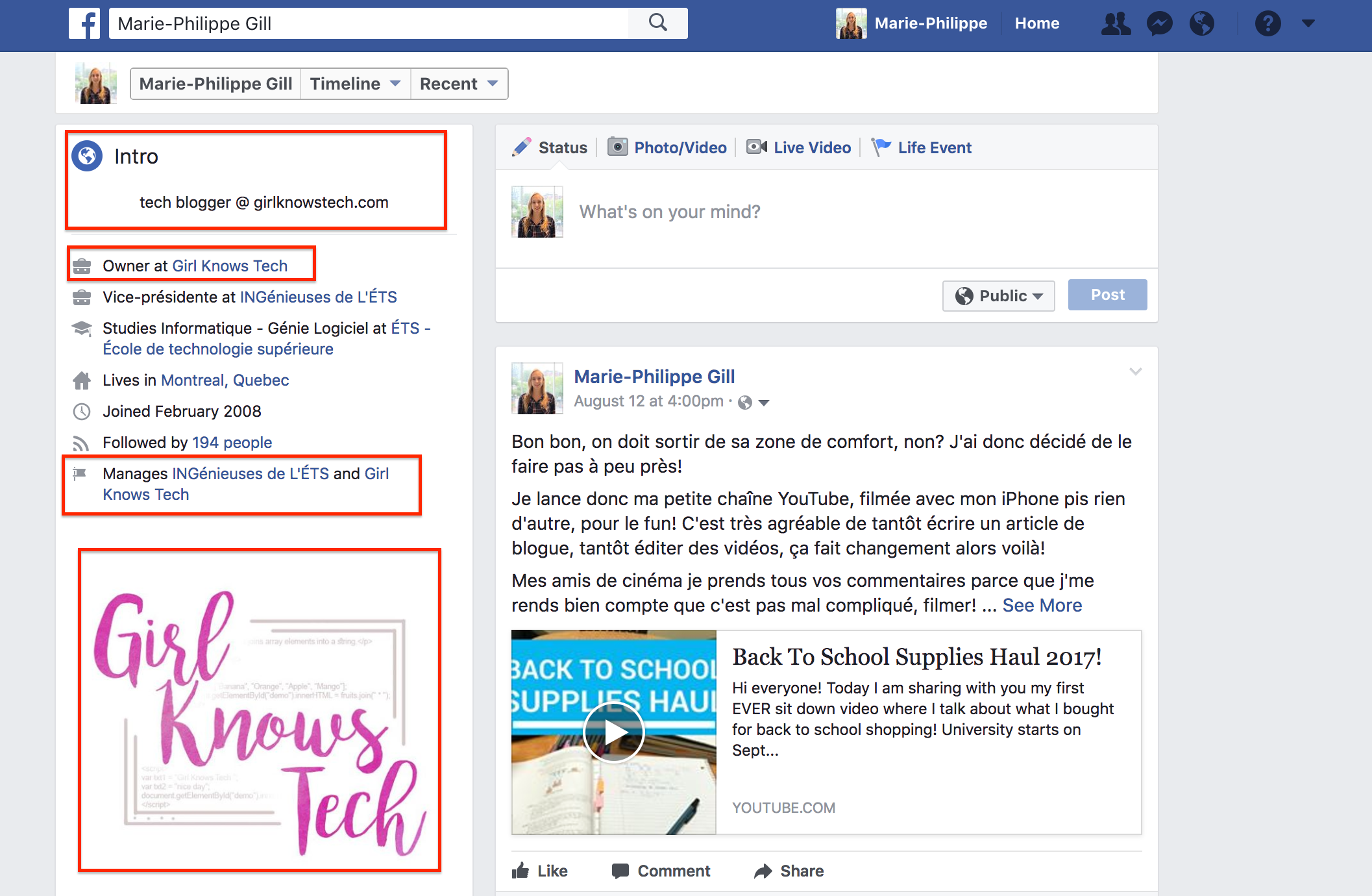
Optimizing Open Graph for blog posts not only ensures professional display but also increases click-through rates (CTR), enhances user experience, and supports a more effective Facebook Marketing strategy. Below is a detailed guide on how to set up Open Graph according to Meta 2026 standards.
How does Open Graph affect blog post clicks?
A beautifully presented link typically attracts more user clicks compared to a plain text link or one with improperly sized images. Open Graph helps to:
- Display prominent images on the News Feed.
- Provide clear, content-accurate titles.
- Deliver more compelling descriptions.
- Increase trust when sharing website links.
This is a vital factor in strategies aimed at driving Facebook traffic back to websites.
How to optimize Open Graph titles for SEO and Facebook standards
The Open Graph title does not necessarily have to be identical to the Google SEO title. A strong title should:
- Contain the primary keyword.
- Remain concise, around 55–70 characters.
- Clearly express the value of the article.
- Be compelling to boost click-through rates.
For example, instead of writing simply How to Post a Blog on Facebook, you can write How to Post a Blog on Facebook to Boost Website Traffic in 2026.
Writing Open Graph descriptions that attract readers
The description section appears immediately under the title when an article is shared. An effective description should:
- Summarize the blog post content.
- Include primary keywords.
- Maintain a length of approximately 120–160 characters.
- Encourage readers to click into the article.
Do not copy and paste the introductory paragraph of the blog post verbatim as the description.
Designing Open Graph images to recommended Facebook dimensions
The Open Graph image is the single most engaging element when a post appears on Facebook.
Meta recommended dimensions for Open Graph images
To render sharply across News Feed, Messenger, and Fanpages, the image should feature:
- A 1.91:1 aspect ratio.
- Recommended dimensions of approximately 1200 × 630 px.
- JPG or PNG format.
- Optimized file size for fast loading.
Properly sized images minimize the risk of cropping or blurry rendering.
Designing Open Graph images to Boost CTR
A high-performing OG image should:
- Feature a short headline text overlay.
- Use brand-consistent colors.
- Display sharp visual elements.
- Avoid dense text overlays.
- Include safe-zone padding to prevent cropping on mobile devices.
Setting Up Canonical URLs with the og:url Tag
Every blog post should possess a single canonical URL. This enables Facebook to recognize the post correctly and avoids generating disparate previews when a website has multiple URLs pointing to the exact same content. For example:
- Canonical URL.
- URL with tracking parameters.
- Campaign sharing URL.
All of these should resolve to one canonical address using og:url.
Setting Up the Correct og:type for Blog Posts
For website articles, the standard value is article. Declaring the correct content type helps Facebook understand that the link represents a blog post rather than a product, video, or general website. This also ensures specific display features function accurately.
Adding og:site_name to Boost Brand Recognition
The og:site_name tag allows Facebook to display the website or brand name when sharing the post. For example:
- Corporate blog.
- E-commerce website.
- News website.
- Personal blog.
A consistently displayed brand name builds link credibility and trust.
Optimizing Open Graph to ensure blog posts display correctly on Facebook is a crucial step to making website links appear more professional and attractive on the News Feed. By properly configuring all Open Graph tags—including title, description, image, URL, and content type—while using correctly sized images and refreshing metadata after edits, businesses can enhance user experience, increase blog post clicks, and leverage Facebook more effectively as a source of quality website traffic.
Contact Info
Information about “How to post a blog on Facebook” hopes to provide you with additional necessary knowledge. At Adsupport, there is a team of highly qualified and experienced staff and experts who will provide facebook account for ads as well as support when you run Facebook ads. Contact us via phone number.
Frequently Asked Questions (FAQ)
Yes. When a blog post is shared properly with a compelling title, Open Graph-compliant thumbnail, and engaging caption, Facebook can become a significant source of traffic for the website. Effectiveness is maximized when posts are published at optimal times and targeted to the right audience.
This typically occurs when the website is not optimized for Open Graph or when Facebook is serving outdated link data stored in its cache. After updating the title, description, or thumbnail image on your website, you can request Facebook to re-scrape the link to fetch and display the latest version of the blog post.


